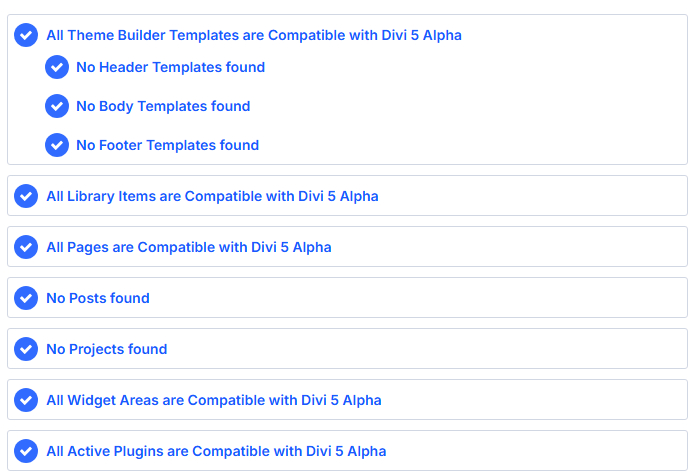
Recently when I tried to migrate a Divi 4 WordPress site to the Divi 5 theme by using the Divi 5 Migrator, the process never finished and the “Migrate” button never showed up.
Investigating the Problem
Looking in the inspector, I noticed that the admin-ajax.php file was getting 503 errors. Additionally, the migrator worked fine when I copied the site to local to debug!
The answer was in the Gridpane Site Error Log:
2025/09/13 19:56:10 [error] 2982382#2982382: *258524 limiting requests, excess: 6.610 by zone "wp", client: 172.58.209.30, server: [SITENAME].build, request: "POST /wp-admin/admin-ajax.php HTTP/2.0", host: "[SITENAME].build", referrer: "https://[SITENAME].build/wp-admin/admin.php?page=et_d5_readiness"The key words in that error are “limiting requests”. The problem was caused by NGINX rate limiting!
The Solution
Fortunately, NGINX rate limiting has been a known problem and Gridpane has a doc ready to go on how to make tweaks called Nginx Rate Limiting and Plugins.
Basically, you need to SSH into your NGINX server, and create this file:
/etc/nginx/extra.d/[YOUR NAME]-request-uri-rate-limit-whitelist.conf
The [YOUR NAME] part can be any word you want. In that file, you’ll need to add this line:
~/wp-admin/admin-ajax.php 0;Then check and reload NGINX using the commands in the doc and you should be good to go! Try going to the Divi 5 Migrator page now. It should work.
When you’re done, you may want to delete this change to restore rate limiting.
Hope this was helpful to you! This issue was also posted on the Gridpane Forum. Let me know if you have any questions in the comments! – Brian

I am a freelance web developer and consultant based in Santa Monica, CA. I’ve been designing websites using WordPress and from scratch using HTML, CSS, PHP, and JavaScript since 2010. I create websites and web applications for businesses, nonprofits, and other organizations. I have a degree in Electrical Engineering (BSEE) from California Institute of Technology and a degree in Engineering Management (MSEM) from Stanford University. If you need help with your site, you can hire me!
Please Leave a Question or Comment