How to Use PHP to Interface with Zoho Analytics API / OAuth 2.0

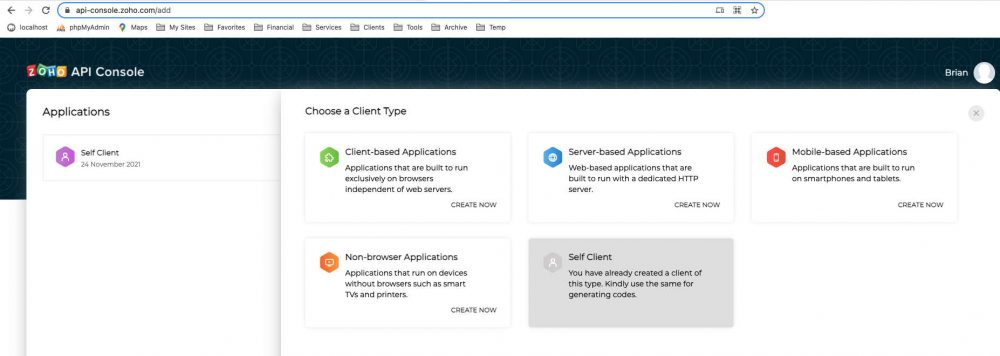
Zoho API console screenshot

A PHP web app that I created using the Zoho Analytics (formerly Zoho Reports) API suddenly stopped working one day. Digging into the Zoho documentation, I discovered that they ended support for their “authtoken” authentication method (basically a password) and switched to OAuth 2.0. Hmmm… After looking into it, upgrading my app to be compatible … Read more

Generate PDFs Using Free Open-Source PHP Libraries

PHP to PDF generators

I recently had to figure out how to generate PDFs using PHP. There are tons of solutions out there, free and paid, with pros and cons. This is a summary of what I found out during my research, however, it’s by no means comprehensive. I basically stopped when I found solutions that satisfied my requirements. … Read more

Create a “Slot Machine” Hover Effect with CSS

Slot Machines

A client requested a “slot machine” hover effect for their social network buttons.  When you hover on the icon, it moves up, sort of like in a slot machine, and changes color.  Here’s an example of what I’m talking about: It turns out that this effect can be accomplished with some clever CSS!  No JavaScript … Read more

My Website Pre-Launch Checklist

Space Shuttle Enterprise

This is a list of items to check before and after launching your site. It’s not necessarily an exhaustive list for every type of website, but it is a good starting point for most sites. Getting Your Site Known 1. SEO 2.  Social Media Appearance With the importance of social media, you should check to … Read more

Modify Your .htaccess File to Eliminate Query Strings and Make Pretty URLs

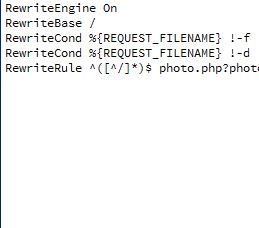
Mod Rewrite screeenshot

I developed a website for a client that would display different photos based on a query string in the URL.  An example of this type of URL would be “http://mysite.com/album.php?photo=ab12345”. But, that is an ugly URL. Not only that, some people claim it’s not ideal for SEO.  Much better would be “http://mysite.com/ab12345”.  Here’s how to … Read more

Add Your Website Icon to the Browser Tab

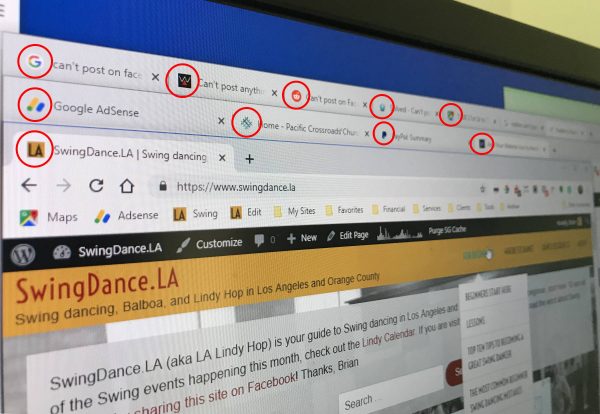
favicons

The little icon that shows up in each web page’s browser tab is called a “favicon”.  Adding this tiny detail really gives your website a professional appearance in the browser.  Here’s how to do it. If You’re Using WordPress… WordPress provides a way to specify the favicon. Log into your site and go to Appearance … Read more